Work

Start from needs, not technology

I designed and developed two apps from A to Z, born from situations I know from the inside. That know-how now goes into every custom website, as three showcase website concepts show.

My approach

One question before every line of code.

“What do users really need, and how can technology make their lives easier?”

I never start by choosing a technology. I start by understanding the people who will use the tool: their daily life, what holds them back, what costs them time or the will to keep going. The technology comes afterwards, to meet that need and nothing more.

  1. Listen to real lifeTransform+ comes from my own fitness journey, EduConnect from my work in education.
  2. SimplifyBring together in one tool what was scattered: workouts and meals on one side, observations and attendance on the other.
  3. Keep people firstThe tool adapts to the person, not the other way round. That is true for an app as well as for a website.
01Mobile app and website · sport, nutrition, progress

Transform+

An app that brings together training, nutrition, goal tracking and motivation, to support people over the long term.

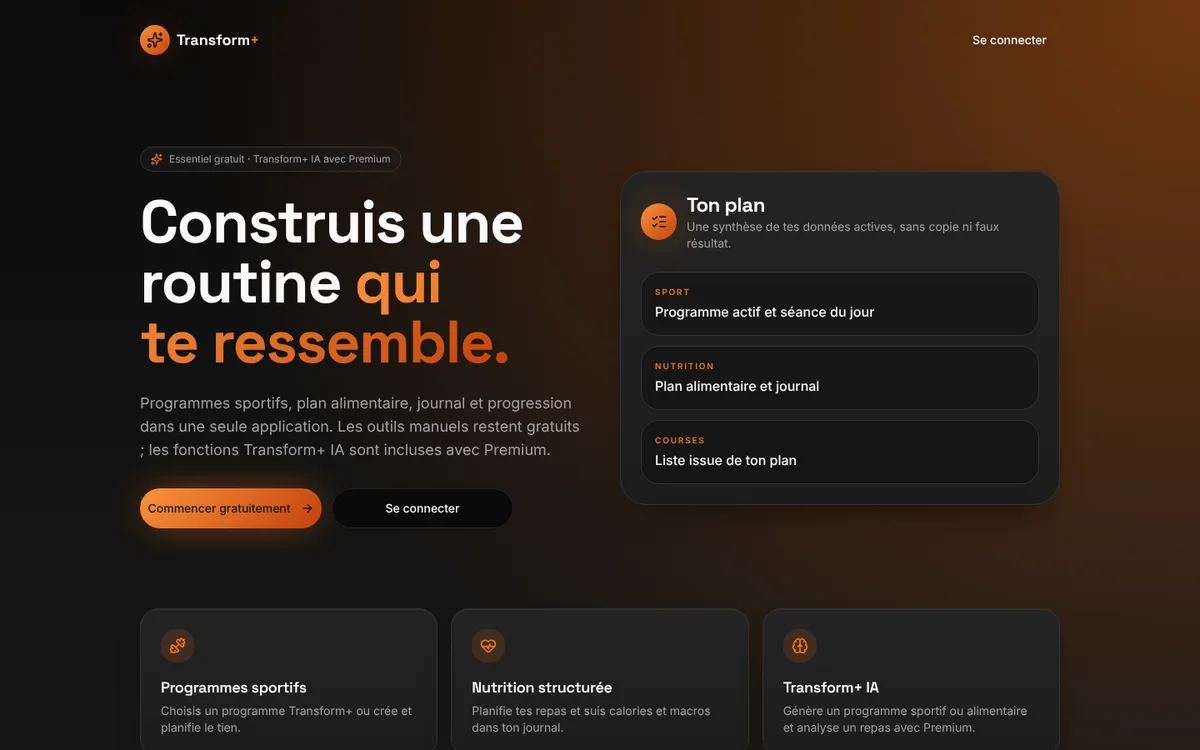
Home page of the Transform+ website on a computer
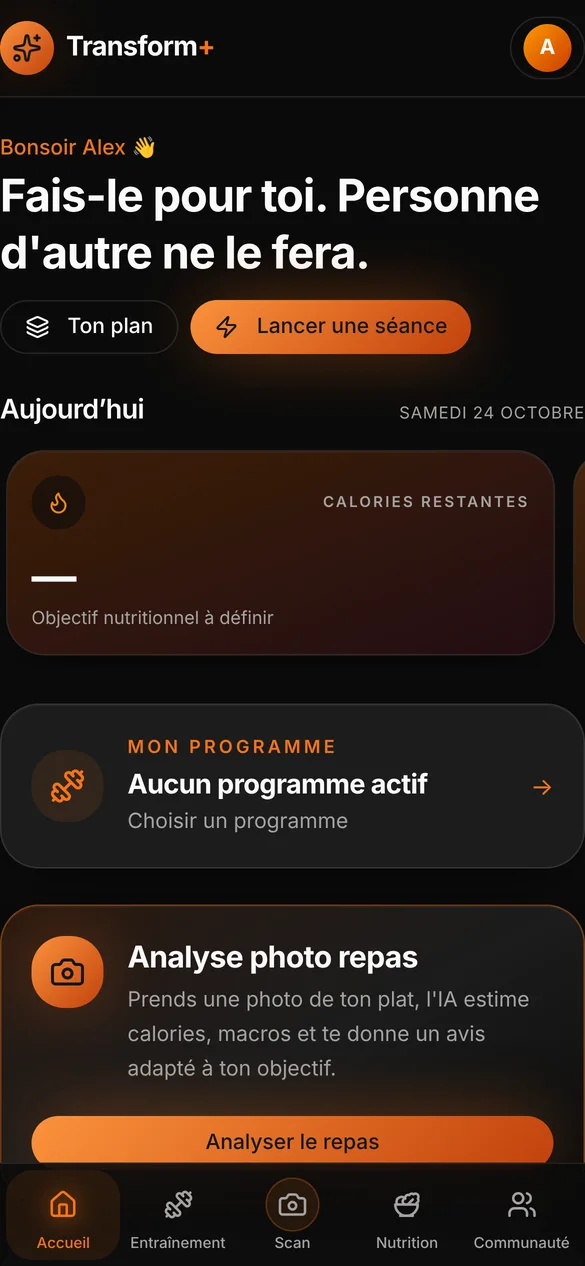
Home screen of the Transform+ app on a phone
The presentation website and the app’s home screen · Real interface · demo data
My role
Idea, concept, design and development
Format
iPhone and Android app, presentation website
Languages
French, English, Dutch, Arabic
Status
Version 1.0 being prepared for the App Store

The origin

Transform+ was born from my own journey. I lost about 35 kilos through sport. Along the way, I understood what really matters: consistency, motivation, tracking, and the ability to keep going despite moments of doubt.

Existing tools forced me to juggle one app for training, another for meals and a notebook for my progress. Many end up abandoned after a few weeks.

The need

Rather than offering yet another tool, I wanted to provide support. One place to know what to do today, see how far you have come and keep wanting to come back tomorrow.

Who it’s for

  • People getting back into sport after a long break
  • Beginners who don’t know where to start
  • Those who want to lose weight or build muscle
  • Athletes who want to structure their training
  • Anyone who needs structure and motivation

“I didn’t want to create yet another fitness app. I wanted to build a tool that really helps people move towards their goals.”

Tarek Said, creator of Transform+
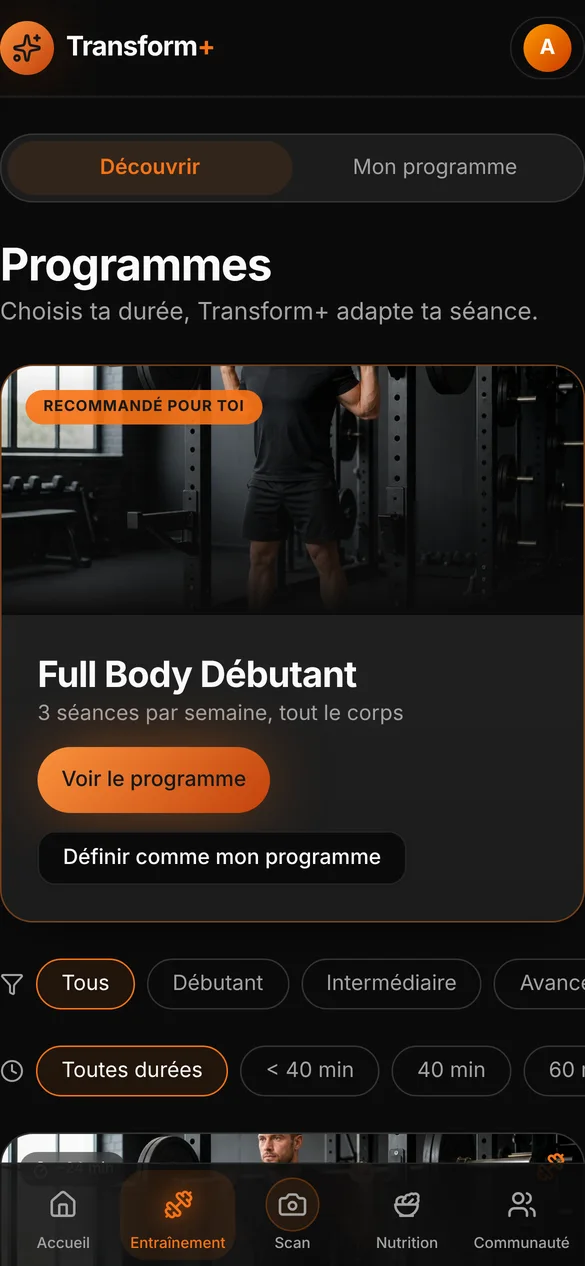
Transform+ Programmes screen with level and duration filters
Programmes filtered by level and duration
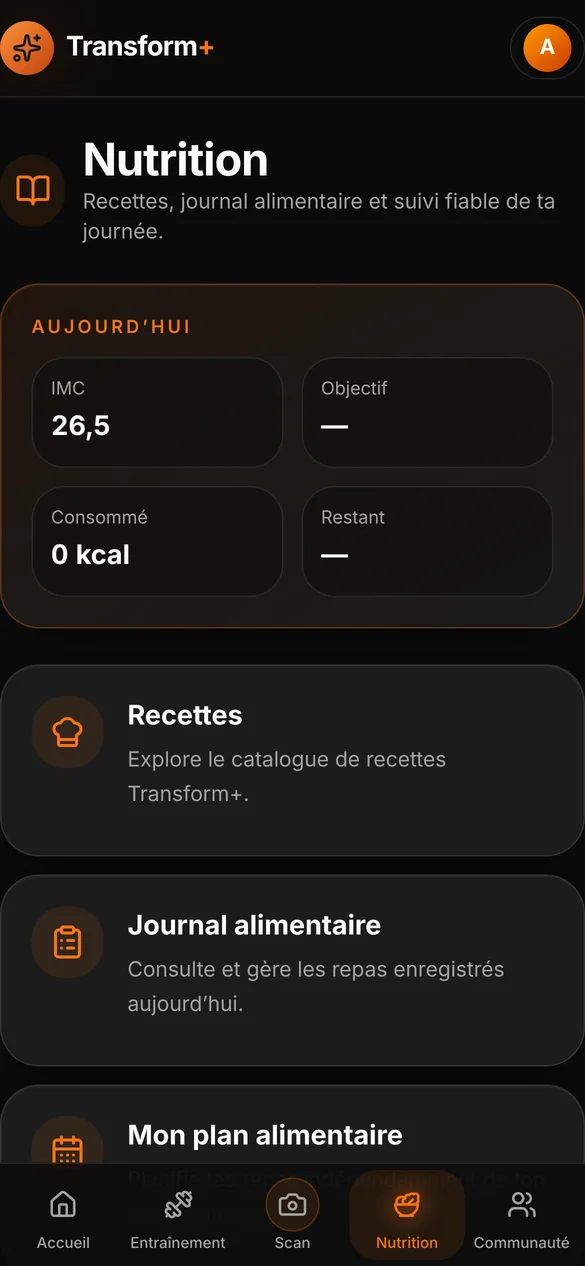
Transform+ Nutrition screen
Nutrition: recipes, food diary and meal plan
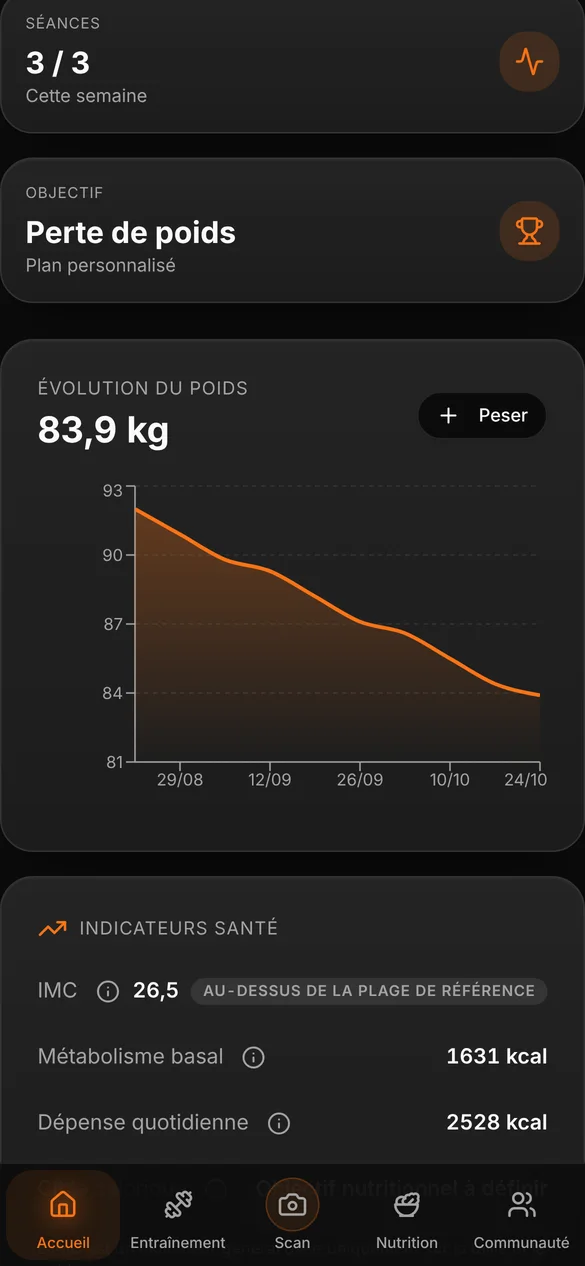
Weight progress chart in Transform+
Weight progress, week after week

Real interface · demo data: the profile “Alex” and their figures are fictitious.

Adapting to every level

Everyone starts from a different point. At sign-up, the app takes into account the level, the number of possible sessions per week and the goal. Programmes can be filtered by level (beginner, intermediate, advanced) and by duration, and anyone can also create their own programme.

What the app offers

  • Programmes and guided sessions, with a timer
  • Meal plan, food diary and recipes
  • Meal analysis from a photo
  • Weight tracking, before / after photos, personal records
  • Levels and missions to stay motivated
  • Community space to share your progress
  • AI-powered adaptation features with the Premium plan

What this project represents

It is the most personal project I have built. It shows how I work: start from real experience, understand what makes people give up, and design every screen to remove those obstacles.

02Web and iPhone app · special education

EduConnect

The daily assistant for educators and care teams: observations, attendance, follow-up of young people and team coordination, all in one place.

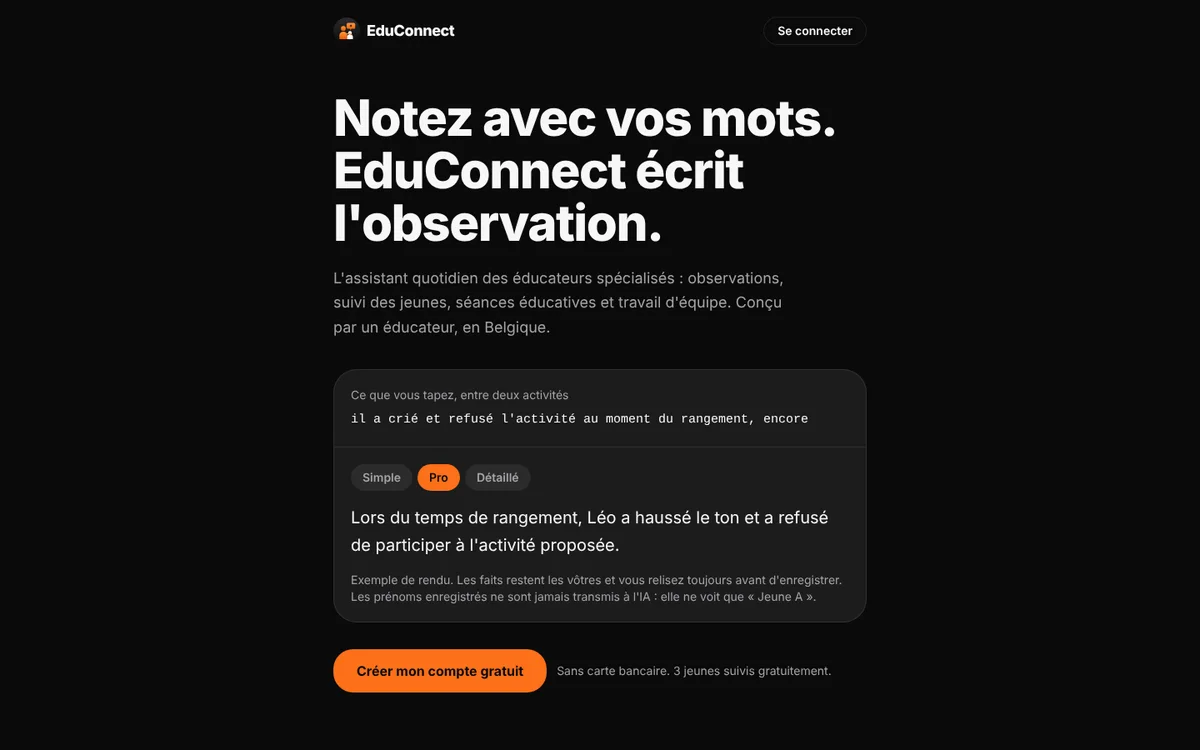
EduConnect presentation page on a computer
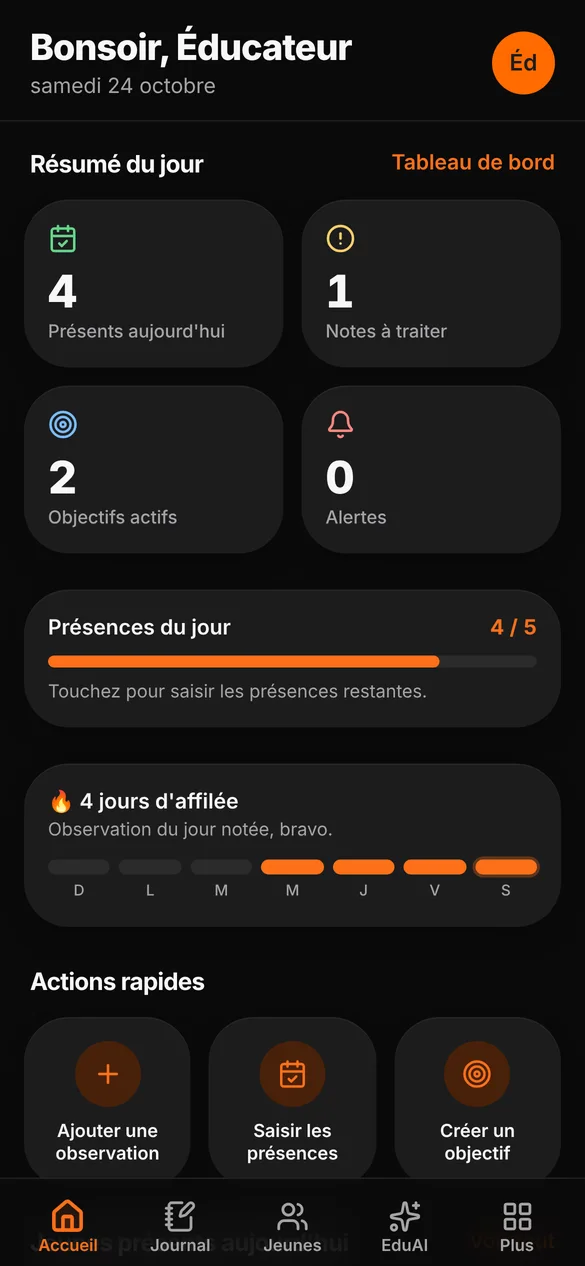
EduConnect home screen on a phone
The presentation page and the app’s home screen · Real interface · demo data
My role
Idea, concept, design and development
Format
Web app, iPhone app
Origin
My professional experience in education
Status
In development · not yet deployed in a facility

The origin

EduConnect comes from my hands-on experience in education. The daily life of a care team is made up of observations to write, attendance to record, information to pass on to colleagues and goals to follow for each young person.

This information is often scattered across notebooks, files and messages. And the time spent writing it up is time taken away from the young people.

Needs on the ground

  • Write down an observation quickly, in your own words
  • Record the day’s attendance
  • Find useful information about each young person
  • Follow individual support over time
  • Motivate with challenges, goals and rewards
  • Coordinate with the team without losing anything

“EduConnect was born from a conviction: digital tools must adapt to the reality of educational work, not force professionals to adapt to tools that don’t suit them.”

Tarek Said, creator of EduConnect
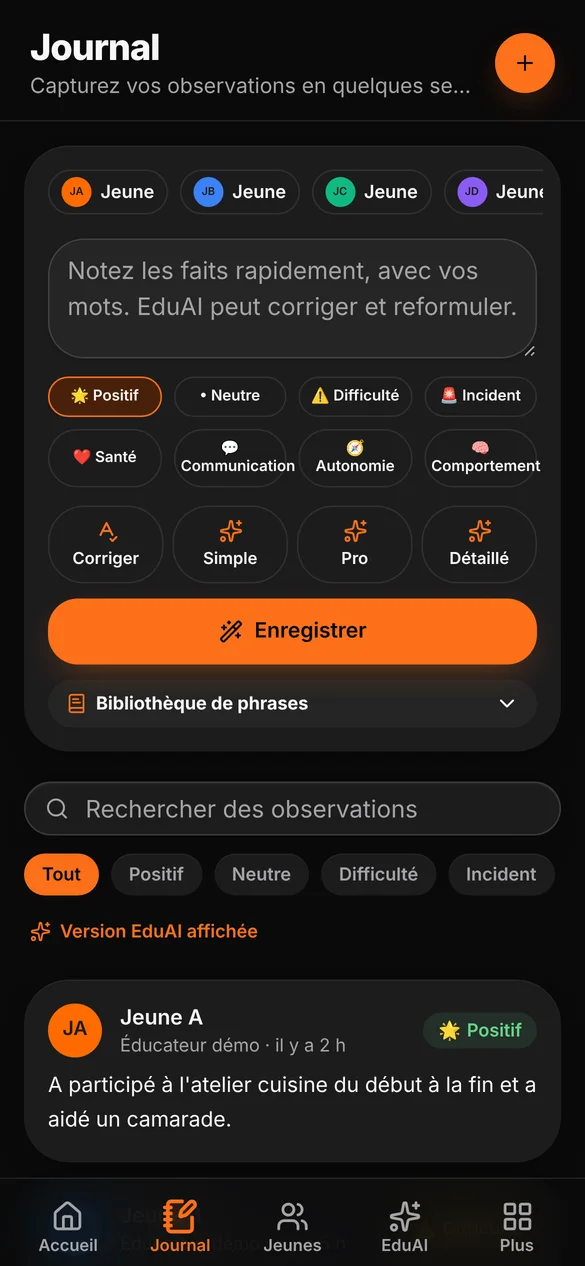
EduConnect observation journal with EduAI rephrasing
The journal: write, then rephrase with EduAI
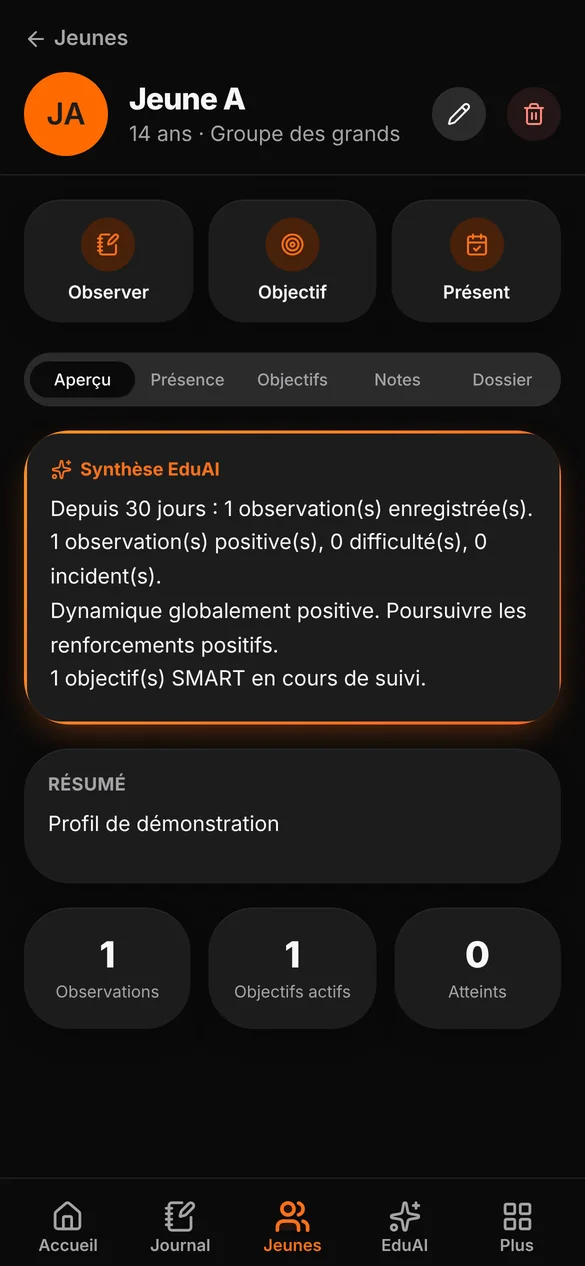
A young person’s profile in EduConnect with summary
A young person’s profile and summary
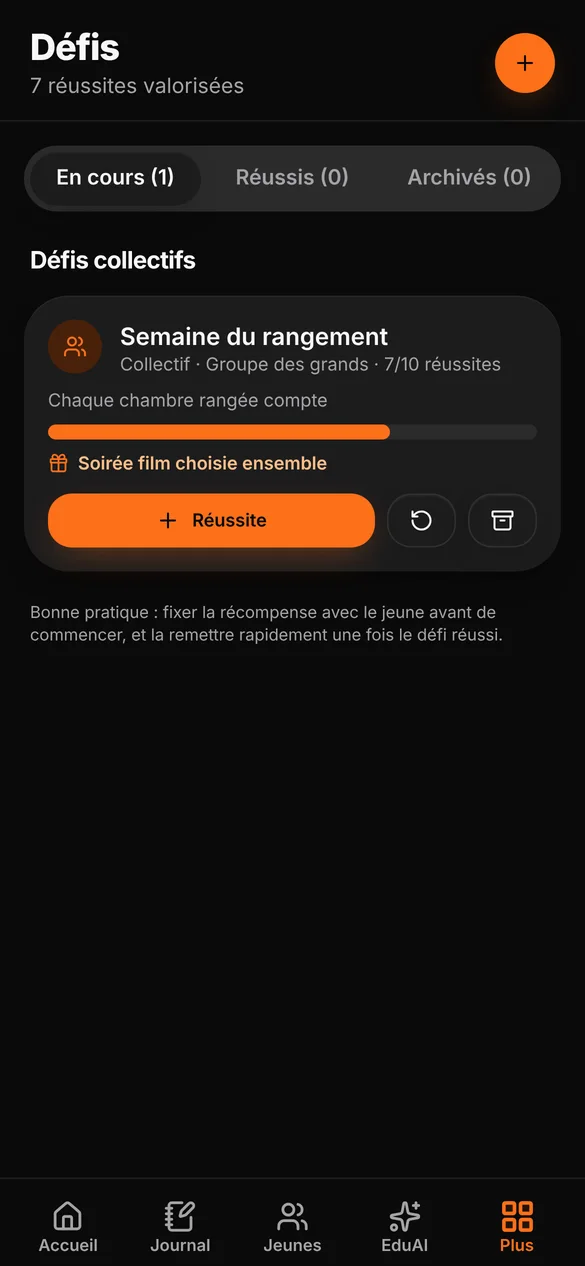
EduConnect Challenges screen
Group challenges and rewards

Real interface · demo data: the facility, the educators and the young people (“Young person A”, “Young person B”…) are fictitious.

Already working in the app

  • Observation journal, with a choice of rephrasing: simple, professional or detailed
  • Today’s attendance
  • Young people’s profiles and SMART goals
  • Challenges and rewards, individual or group
  • Team handovers and a code to join a facility
  • EduAI, a writing assistant that automatically replaces first names (“Young person A”)
  • On iPhone: Face ID lock, hidden screen and offline access

Technology serving people

Every choice starts from a real constraint. The data concerns young people: first names are pseudonymised before anything goes through artificial intelligence, and the app locks when you leave it. The educator writes in their own words, the tool helps with the wording, and the decision stays human.

Where the project stands

The features listed here exist and work in the app. EduConnect is still in development: it is not yet used in a facility, and I prefer to say so clearly.

Showcase websites · concepts

The same approach, for a local business.

Three website concepts for a garage, a joinery workshop and a bakery, designed around what their customers come looking for.

Concept · fictitious company
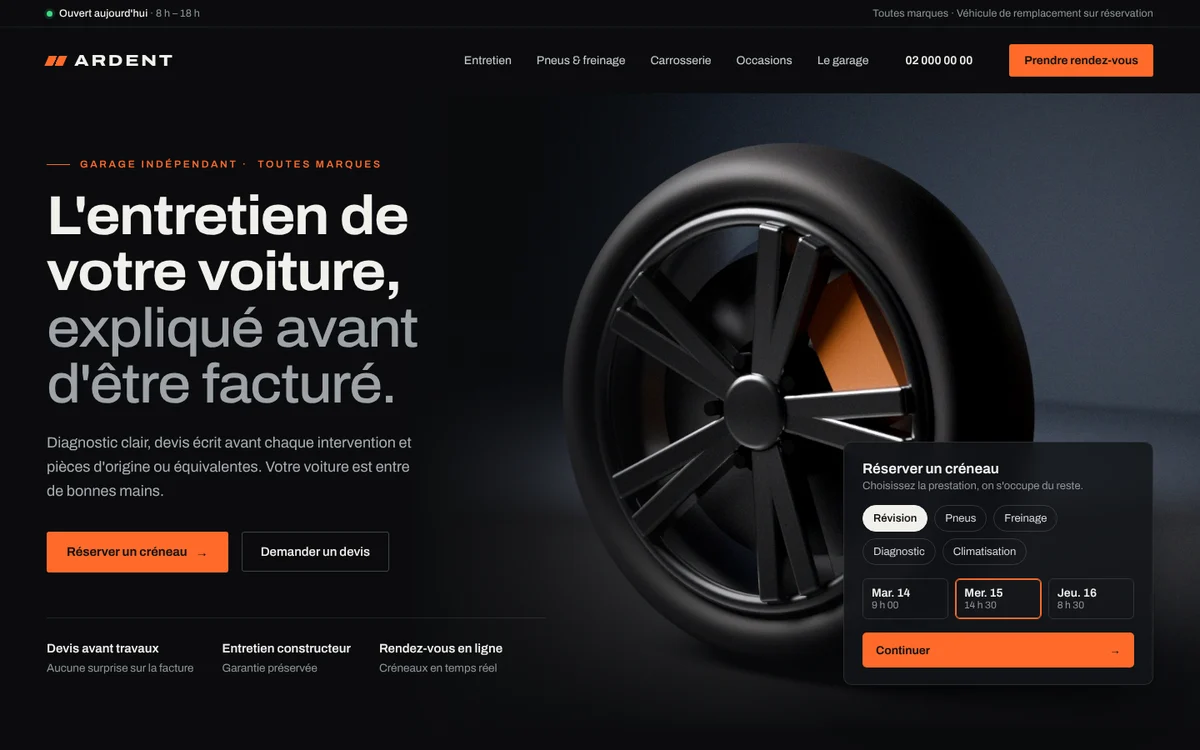
Home page of the Ardent Automobiles concept on a computer
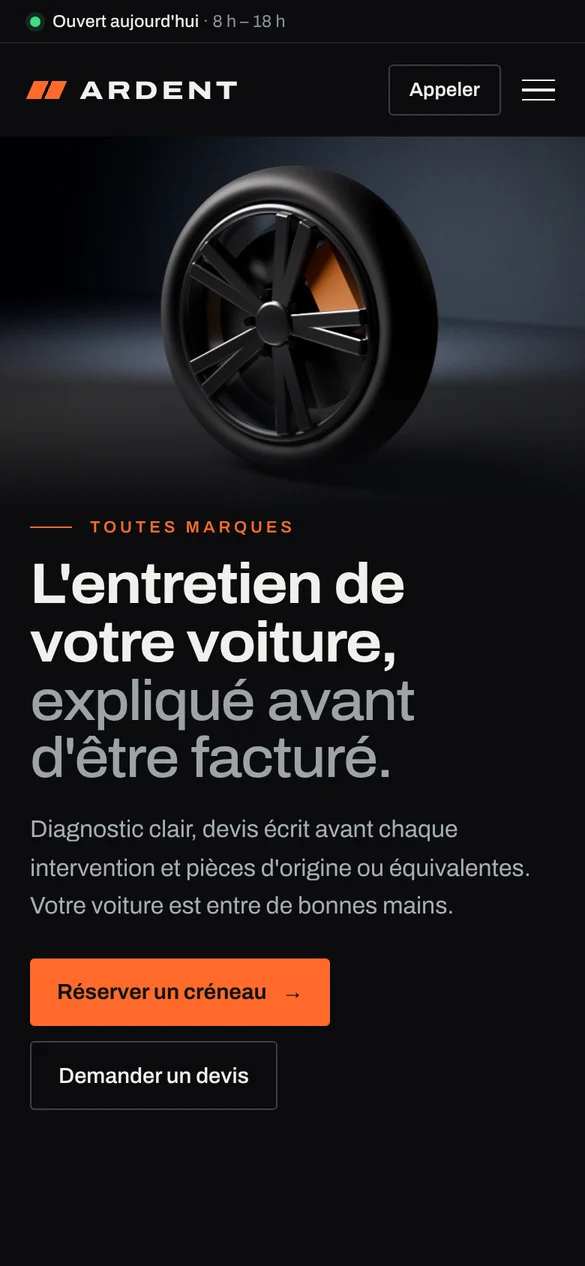
Home page of the Ardent Automobiles concept on a phone
01

Ardent Automobiles

Independent garage · servicing and repairs

The challenge

A garage must reassure quickly: is it open, how much will it cost and when can I come by? On a phone, in a few seconds.

The answer

A dark, precise interface, the “quote before work” promise at the top of the page and a booking module showing the next free slots.

Online bookingLive open or closedQuote before workDesigned for mobile
Concept · fictitious company
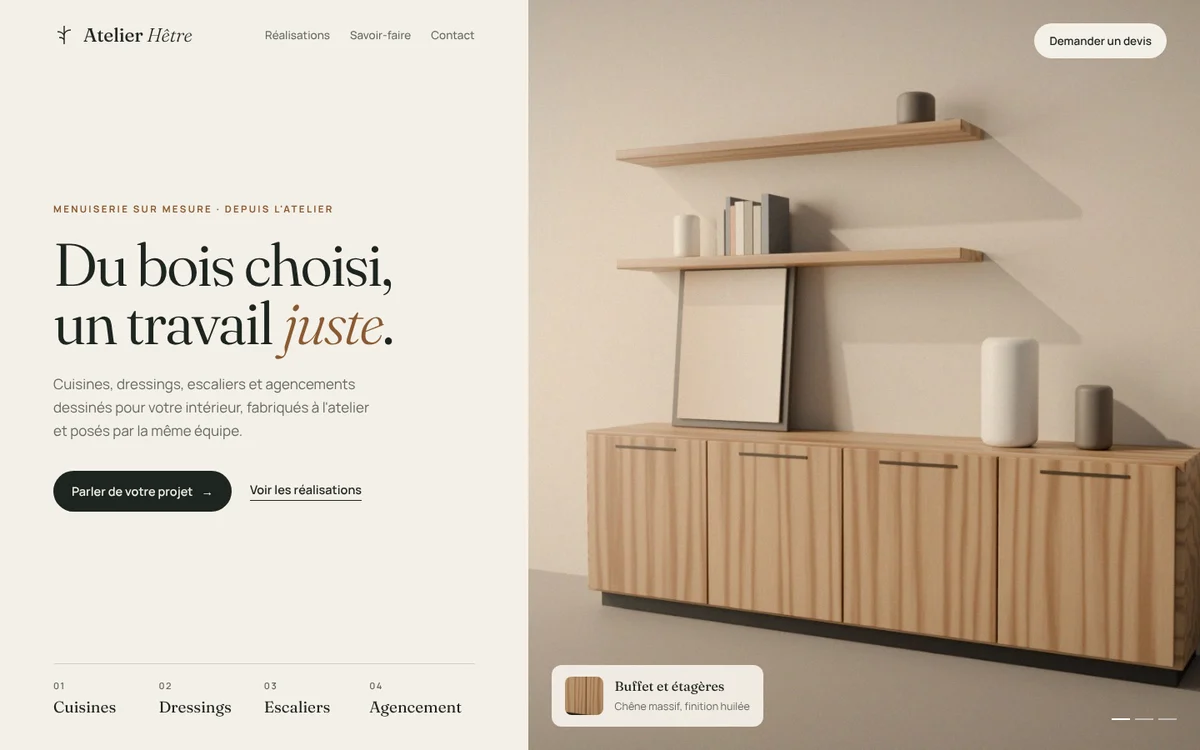
Home page of the Atelier Hêtre concept on a computer
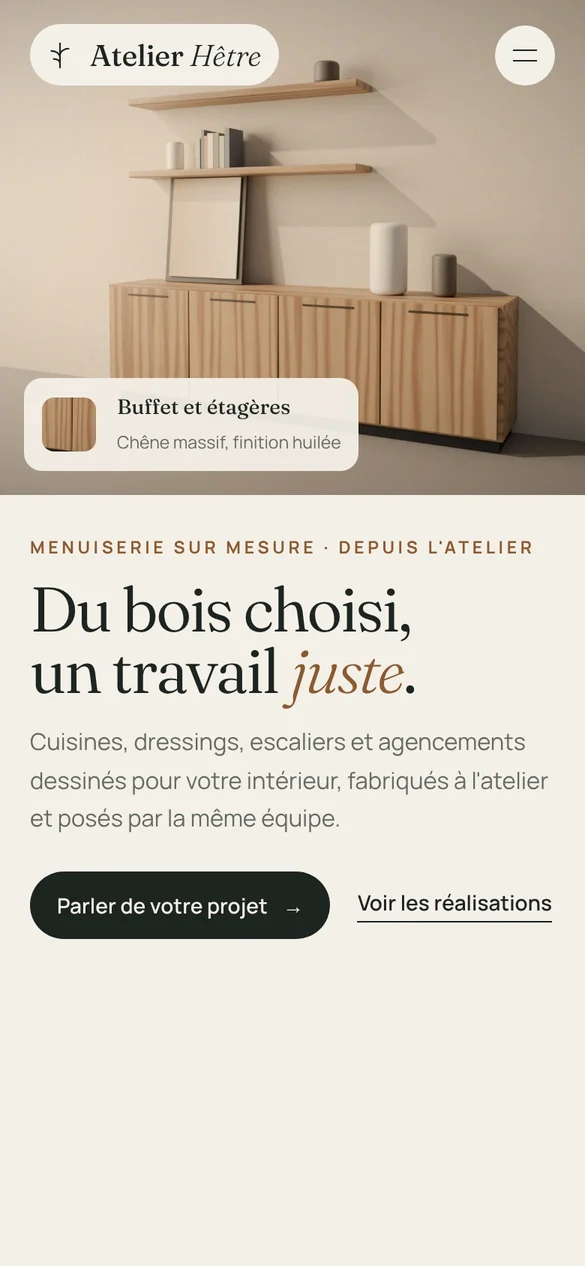
Home page of the Atelier Hêtre concept on a phone
02

Atelier Hêtre

Bespoke joinery

The challenge

A craftsperson sells the quality of their work first. The website must show it with large images and make people want to ask for a precise quote.

The answer

An editorial layout where the photo fills half the screen, each project captioned with its wood species, and a guided quote request.

Full-frame photosMaterial sheetsGuided quoteEditorial layout
Concept · fictitious company
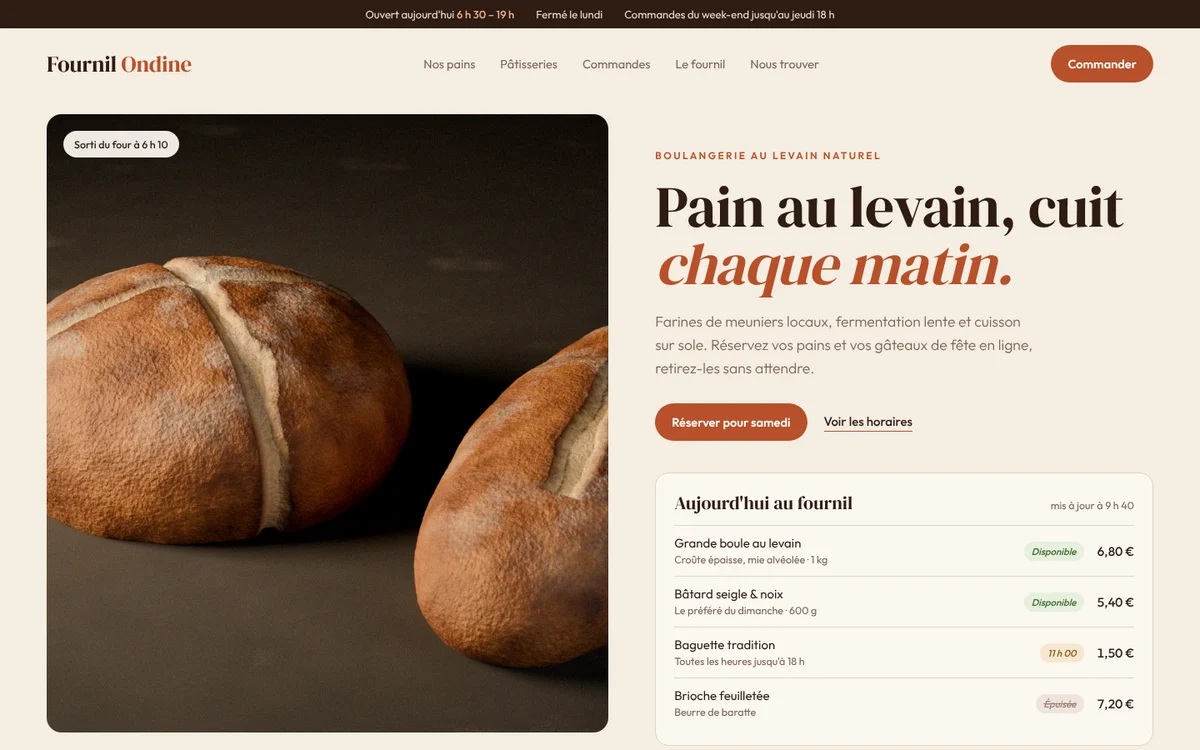
Home page of the Fournil Ondine concept on a computer
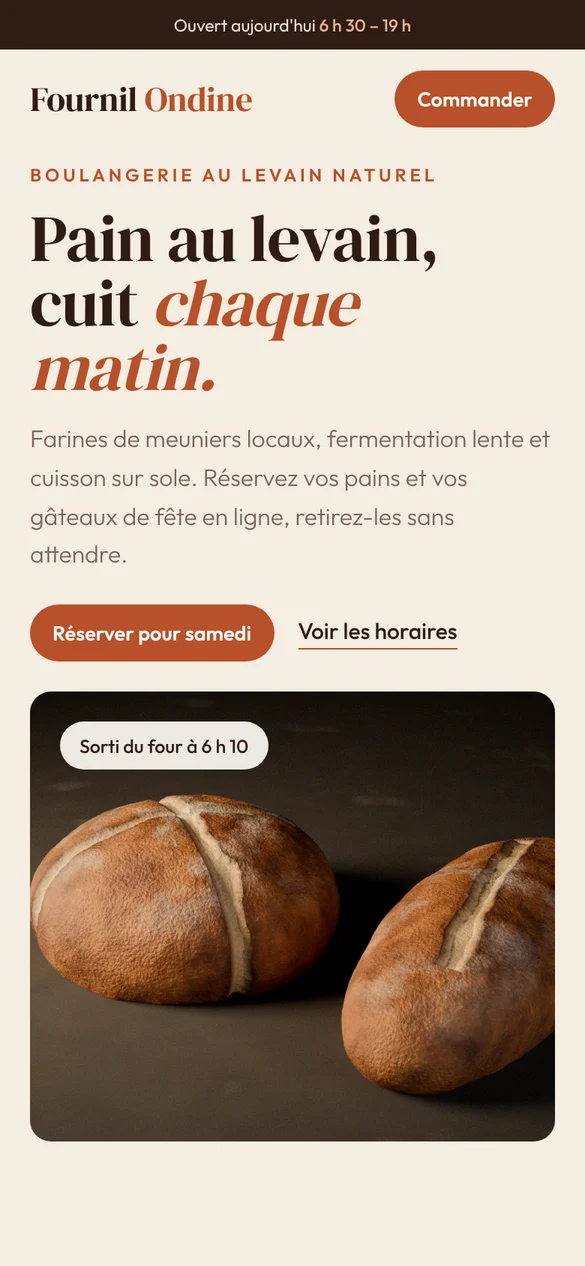
Home page of the Fournil Ondine concept on a phone
03

Fournil Ondine

Artisan bakery

The challenge

Customers of a neighbourhood shop mostly look for opening hours and a way to order. The rest should make them want to walk through the door.

The answer

A warm identity, opening hours at the top of the page, today’s bread board with availability, and weekend pre-orders in one tap.

Today’s bread, liveWeekend pre-ordersOpening hours up topDirections in one click

These three projects are demonstration concepts: the companies are fictitious. Websites made for real clients will only be shown here with their consent.

Your project could be the next one

Tell me about your business and your customers. I’ll suggest an approach suited to your real needs.

Request a quote
Send an email